- Python 81.5%
- JavaScript 16.3%
- PostScript 2.2%
| .circleci | ||
| .github | ||
| _plotly_future_ | ||
| _plotly_utils | ||
| chart_studio | ||
| codegen | ||
| example_images | ||
| js | ||
| plotly | ||
| plotlywidget | ||
| recipe | ||
| specs | ||
| submodules | ||
| templategen | ||
| test/vv/lib/python2.7/site-packages/plotly | ||
| .gitattributes | ||
| .gitignore | ||
| .gitmodules | ||
| bld.bat | ||
| build.sh | ||
| build_for_conda.md | ||
| CHANGELOG.md | ||
| CODE_OF_CONDUCT.md | ||
| compatibility.md | ||
| contributing.md | ||
| LICENSE.txt | ||
| make_instructions.txt | ||
| makefile | ||
| MANIFEST.in | ||
| migration-guide.md | ||
| optional-requirements.txt | ||
| package-lock.json | ||
| plotlywidget.json | ||
| README.md | ||
| requirements.txt | ||
| setup.cfg | ||
| setup.py | ||
| tox.ini | ||
| versioneer.py | ||

plotly.py
| Latest Release |

|
| PyPI Downloads |
|
| License |

|
Quickstart
pip install plotly "notebook>=5.3" "ipywidgets>=7.2"
Inside Jupyter notebook:
import plotly.graph_objs as go
fig = go.FigureWidget()
# Display an empty figure
fig
# Add a scatter chart
fig.add_scatter(y=[2, 1, 4, 3])
# Add a bar chart
fig.add_bar(y=[1, 4, 3, 2])
# Add a title
fig.layout.title = 'Hello FigureWidget'
See the Python documentation for more examples.
Read about what's new in plotly.py v3
Overview
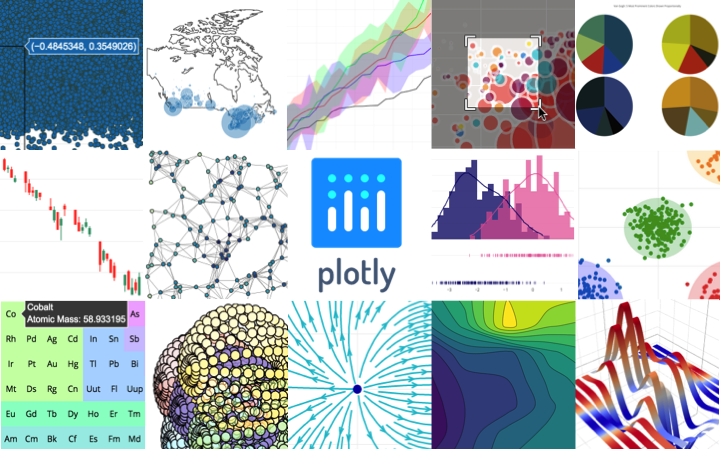
plotly.py is an interactive, open-source, and browser-based graphing library for Python ✨
Built on top of plotly.js, plotly.py is a high-level, declarative charting library. plotly.js ships with over 30 chart types, including scientific charts, 3D graphs, statistical charts, SVG maps, financial charts, and more.
plotly.py is MIT Licensed. Plotly graphs can be viewed in Jupyter notebooks, standalone HTML files, or hosted online on plot.ly.
Contact us for Plotly.js consulting, dashboard development, application integration, and feature additions. Sharing your graphs online or in dashboards? Consider a plot.ly subscription.
- Online Documentation
- Contributing
- Changelog
- Code of Conduct
- Version 3 Migration Guide
- New! Announcing Dash
- Community
Installation
plotly.py may be installed using pip...
pip install plotly==3.9.0
or conda.
conda install -c plotly plotly=3.9.0
Jupyter Notebook Support
For use in the Jupyter Notebook, install the notebook and ipywidgets
packages using pip...
pip install "notebook>=5.3" "ipywidgets>=7.2"
or conda.
conda install "notebook>=5.3" "ipywidgets>=7.2"
JupyterLab Support (Python 3.5+)
For use in JupyterLab, install the jupyterlab and ipywidgets
packages using pip...
pip install jupyterlab==0.35 "ipywidgets>=7.2"
or conda.
conda install jupyterlab=0.35 "ipywidgets>=7.2"
Then run the following commands to install the required JupyterLab extensions:
# Avoid "JavaScript heap out of memory" errors during extension installation
# (OS X/Linux)
export NODE_OPTIONS=--max-old-space-size=4096
# (Windows)
set NODE_OPTIONS=--max-old-space-size=4096

# Jupyter widgets extension
jupyter labextension install @jupyter-widgets/jupyterlab-manager@0.38 --no-build

# FigureWidget support
jupyter labextension install plotlywidget@0.10.0 --no-build

# offline iplot support
jupyter labextension install @jupyterlab/plotly-extension@0.18.2 --no-build

# JupyterLab chart editor support (optional)
jupyter labextension install jupyterlab-chart-editor@1.1 --no-build

# Build extensions (must be done to activate extensions since --no-build is used above)
jupyter lab build

# Unset NODE_OPTIONS environment variable
# (OS X/Linux)
unset NODE_OPTIONS
# (Windows)
set NODE_OPTIONS=
Static Image Export
plotly.py supports static image export using the to_image and write_image
functions in the plotly.io package. This functionality requires the
installation of the plotly orca command line utility and the
psutil Python package.
These dependencies can both be installed using conda:
conda install -c plotly plotly-orca psutil
Or, psutil can be installed using pip...
pip install psutil
and orca can be installed according to the instructions in the orca README.
Migration
If you're migrating from plotly.py version 2, please check out the migration guide
Copyright and Licenses
Code and documentation copyright 2019 Plotly, Inc.
Code released under the MIT license.
Docs released under the Creative Commons license.